5 Best iMazing Alternatives for Windows (2026 Guide)



iMazing is a capable iPhone manager, and for plenty of people it’s also too much tool at too much cost. Since June 2025 it’s subscription only, and most of its feature set exists for jobs you’ll never do. If all you want is to open an iPhone backup on Windows and get your data out, a focused iMazing alternative does it with less software and less money.
Summary
The best iMazing alternative depends on your job. For viewing and extracting iPhone backup data on Windows, iData Backup Viewer is the focused pick. Reincubate adds iCloud access, iBackup Viewer has a free tier, Dr.Fone bundles a full toolkit and the Apple Devices app covers plain backups for free.
| Tool | Best For | Platform | Free Version | Price Model |
|---|---|---|---|---|
| iData Backup Viewer | Viewing and extracting iTunes backups | Windows 10 and 11 | Yes, full preview | $49 per year Pro |
| Reincubate iPhone Backup Extractor | iCloud plus local backup extraction | Windows and Mac | Yes, limited items | Subscription |
| iBackup Viewer | Basic free browsing | Windows and Mac | Yes, basic exports | Free with Pro upgrade |
| Wondershare Dr.Fone | All in one phone toolkit | Windows and Mac | Trial only | Subscription |
| Apple Devices app | Creating and restoring backups | Windows 10 and 11 | Fully free | Free, official Apple |
Table of Contents
Why Look for an iMazing Alternative?
Three reasons come up again and again.
The pricing model changed. DigiDNA discontinued device licenses in June 2025 and moved iMazing to subscription only. If you bought software to own it, that door has closed.
Most of the tool goes unused. iMazing manages devices, transfers music, edits configuration profiles and handles fleets of company iPhones. For the person who just needs last year’s messages out of a backup, that’s a lot of surface area to pay for.
Windows is not its center of gravity. iMazing runs on Windows, and its roots are firmly in the Mac world. Tools built for Windows first tend to handle the two Windows backup locations and Windows specific quirks more directly.
1. iData Backup Viewer
iData Backup Viewer does one job. It reads iTunes backups on Windows 10 and 11, shows you everything inside sorted by category and exports what you pick. iMessages, WhatsApp chats, photos, videos, contacts, call history, notes and Safari history all display in the app, including from encrypted backups once you enter your password.
Because it’s a viewer and not a device manager, the workflow is short. Install, launch and the app finds backups in both Windows locations on its own. It also opens backups that iTunes flags during restore, which makes it a practical rescue tool for the corrupt or not compatible error. Everything runs 100% locally with no cloud upload, and the free version previews your entire backup so you see your data before spending anything.
The honest limitation. iData doesn’t manage devices. There’s no music transfer, no pushing files back to the phone, no iCloud backup downloads and no Mac version yet. If you need those, look at Reincubate or stay with iMazing.
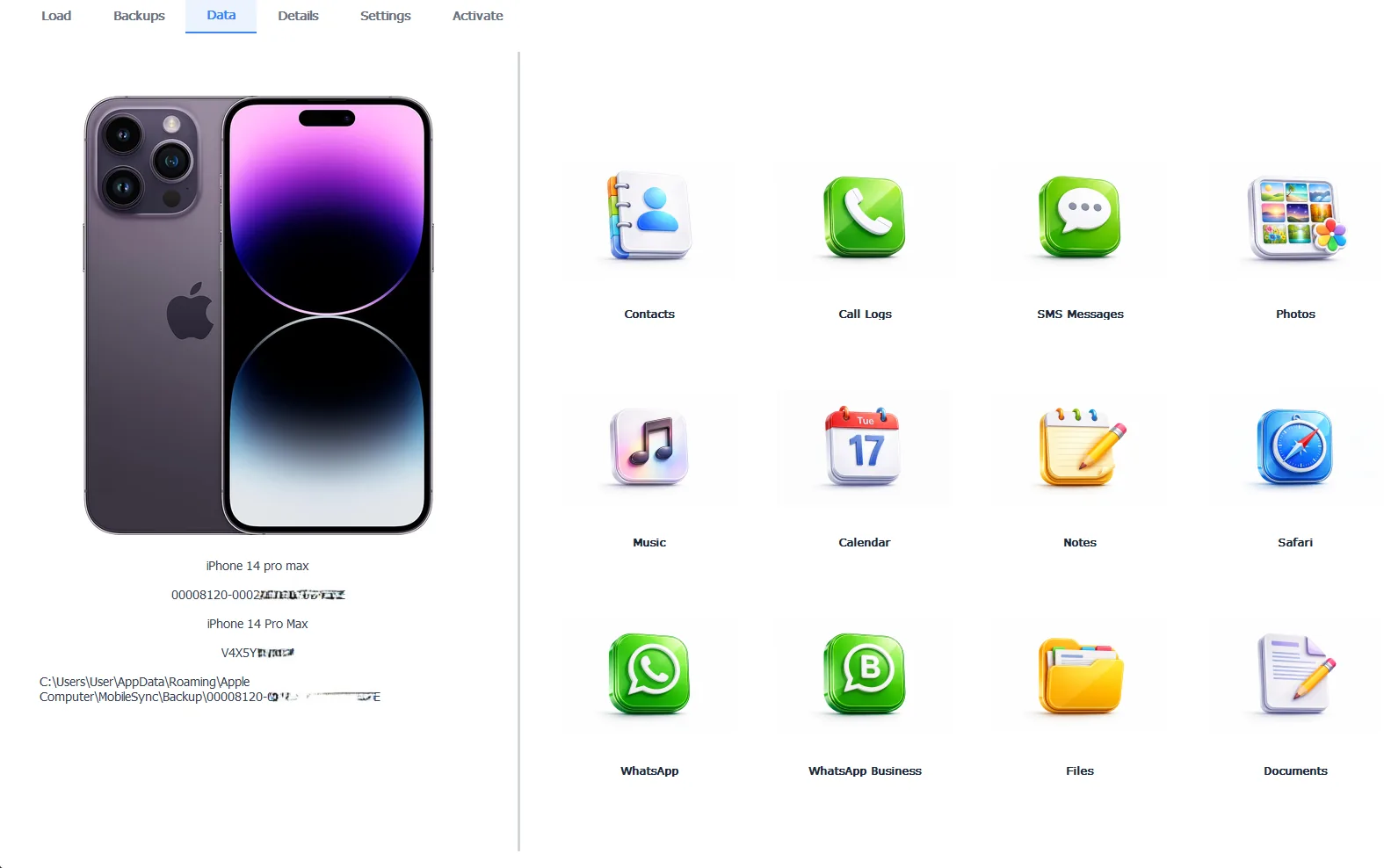
iData Backup Viewer displaying iPhone backup contents by category on Windows
The Pro edition costs $49 per year, which unlocks full exports after the free preview.
Free version previews your backup contents. Works on Windows 10 and 11.
2. Reincubate iPhone Backup Extractor
Reincubate’s extractor has been around for years and its standout ability is iCloud. Sign in with your Apple account and it pulls data from iCloud backups as well as local iTunes ones, which none of the pure local viewers do. It runs on both Windows and Mac and handles encrypted backups.
The honest limitation. It’s subscription priced, and the free tier caps how many items you can extract. The iCloud focus also means you’re trusting the tool with your Apple sign in, which some people prefer to avoid. For local only work, that capability sits unused while you pay for it.
3. iBackup Viewer
iBackup Viewer is the long running budget pick. The free tier opens local backups and exports basic data types, and a Pro upgrade removes the limits. It covers the common categories such as messages, contacts, call history and photos on both Windows and Mac.
The honest limitation. The interface shows its age, and free tier exports are restricted enough that most real recovery jobs end up needing Pro anyway. Support for newer iOS backup formats has also historically lagged behind the paid tools after major iOS releases.
4. Wondershare Dr.Fone
Dr.Fone isn’t a backup viewer so much as a full phone toolkit. Backup extraction sits alongside device recovery, phone transfer, system repair and WhatsApp migration modules. If you want one suite that attempts everything phone related, this is that suite.
The honest limitation. You install far more software than the viewing job needs, the modules are priced as separate subscriptions and the constant upsells inside the app are widely disliked. For opening one backup, it’s a truck when you needed a hand cart.
5. Apple Devices App
Apple’s own free Windows app creates backups, restores them and updates iPhones without iTunes. It’s official, clean and costs nothing. If your only need is making and restoring backups on Windows 11, you don’t need any third party tool at all.
The honest limitation. It cannot show you what’s inside a backup. There’s no browsing, no selective export and no rescue path when a restore fails. It creates the very files that every other tool on this list exists to open.
“Most people who reach us after trying the big device managers only ever wanted one thing. Open the backup, find the messages, get them out. You shouldn’t need a full device management suite with a subscription for that one job.”
Viralkumar Patel in | iData Backup Viewer Team, CYBERSICS SOLUTIONS
When Should You Stay With iMazing?
Fair is fair. iMazing remains the better choice in three situations.
You manage several devices and push data both ways, to the phone and from it. You’re on a Mac as your main machine and want one tool across both platforms. Or you’re a business handling device fleets, configuration profiles and supervised iPhones, where iMazing’s admin features have no equivalent on this list.
If you’re in those camps, the subscription buys tools you’ll genuinely use. This article is for everyone who isn’t.
How Do You Choose?
Match the tool to the single job in front of you. Need to see and export what’s in a local backup on Windows? iData Backup Viewer, and the free preview settles it in ten minutes. Need iCloud backups included? Reincubate. Want to spend nothing and accept limits? iBackup Viewer’s free tier. Need a dozen phone utilities in one box? Dr.Fone. Just creating backups? The Apple Devices app is free and official.
So the real question isn’t which tool is best. It’s which job you’re hiring the tool for. iMazing tries to be everything for every Apple device. A focused viewer opens your backup, hands you your data and gets out of the way.
What’s the one thing you actually need out of your iPhone backup today?
Frequently Asked Questions
Is there a free iMazing alternative?
Yes, three routes. iData Backup Viewer previews your full backup free before you pay anything. iBackup Viewer has a free tier with basic exports. And the Apple Devices app creates and restores backups at no cost, though it can’t show you what’s inside them.
Can iMazing alternatives read encrypted backups?
The viewers on this list can, as long as you know the backup password. iData Backup Viewer decrypts the backup locally on your PC after you enter the password once. No tool can open an encrypted backup without its password.
Did iMazing stop selling lifetime licenses?
Yes. DigiDNA discontinued device licenses in June 2025 and now sells iMazing as a subscription only. Existing perpetual licenses keep working for the version they cover.
What is the best iMazing alternative just for viewing backups on Windows?
A dedicated viewer beats a full device manager for this one job. iData Backup Viewer was built only for reading and extracting iTunes backups on Windows 10 and 11, so you skip the transfer and management features you’d never use.
Do these alternatives work with iCloud backups?
Mostly no. iData Backup Viewer, iBackup Viewer and the Apple Devices app work with local backups stored on your PC. Reincubate iPhone Backup Extractor is the option on this list that also signs in to iCloud.
Will these tools change or damage my backup?
No. Backup viewers open the files in read only mode and never write into the backup folder. Your backup stays exactly as iTunes left it, which also means it stays valid for a future restore.
Written by Viralkumar Patel in
Viralkumar works on iData Backup Viewer at CYBERSICS SOLUTIONS, where he helps Windows users read, recover and export data from iPhone backups.