iTunes Backup Viewer
for Windows
iPhone Backup Extractor
Browse your iTunes backup on Windows 10 and 11. View and extract iMessages, Safari, WhatsApp, Photos, Notes, Contacts, Call History and Documents through a sleek, professional interface.
Explore iOS Backups and extract data from iPhone backups stored on your PC. Processed 100% locally. Your data never leaves your machine. Built for privacy and performance.
Browse Your
iTunes Backups
with Ease
How It Works.
Open iData Backup Viewer on Windows and it auto-detects your iTunes backups. Browse, preview and extract your iPhone data in three steps, without restoring your device.
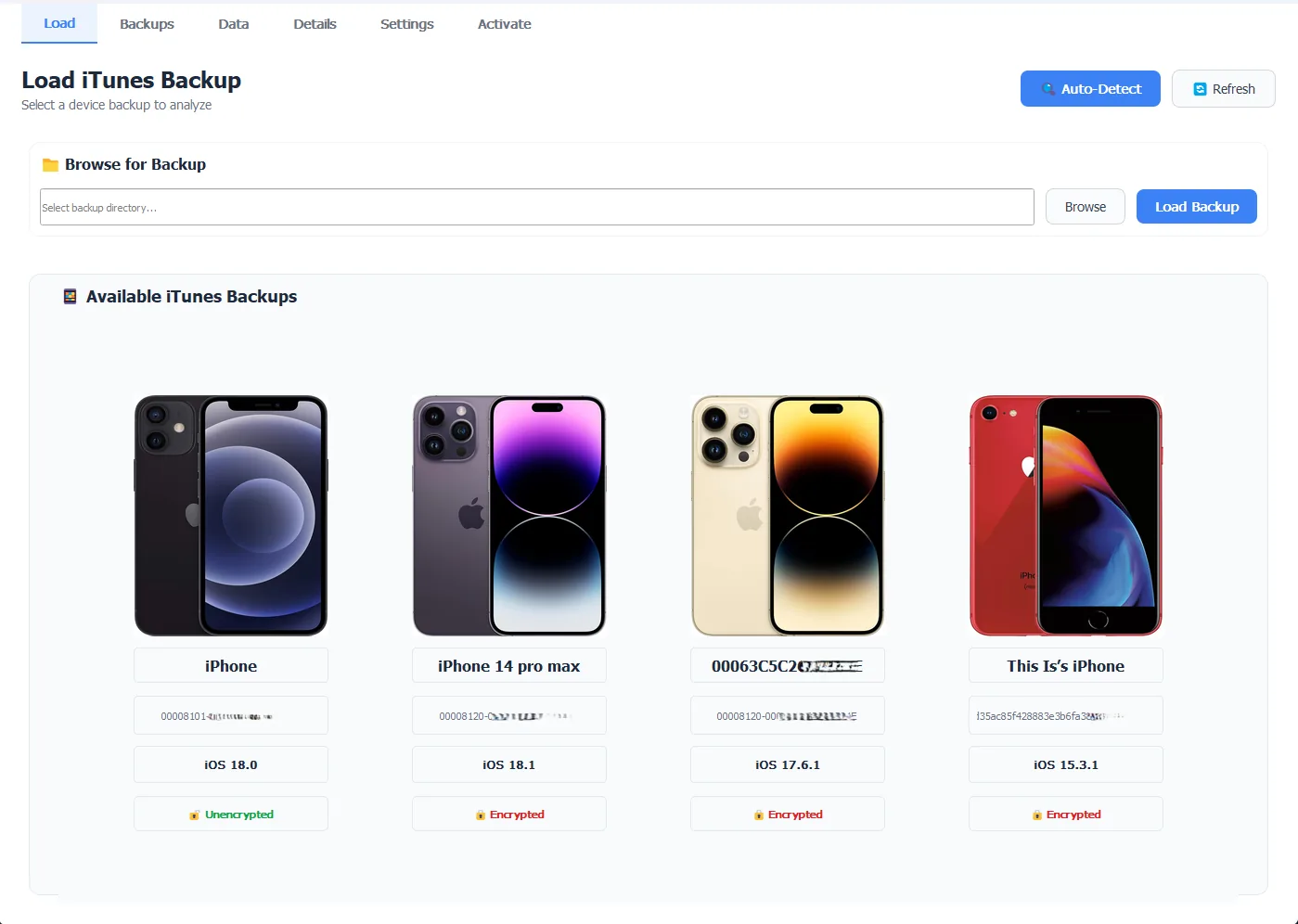
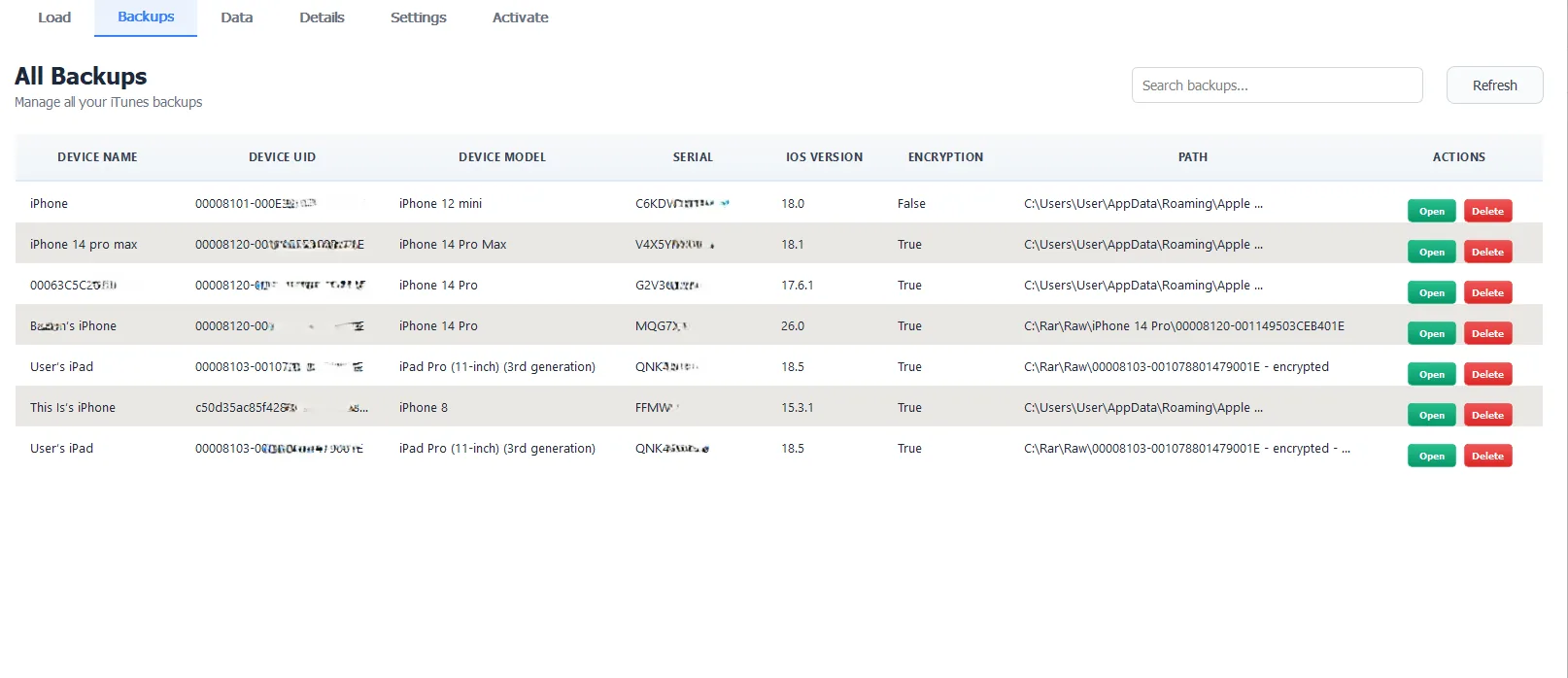
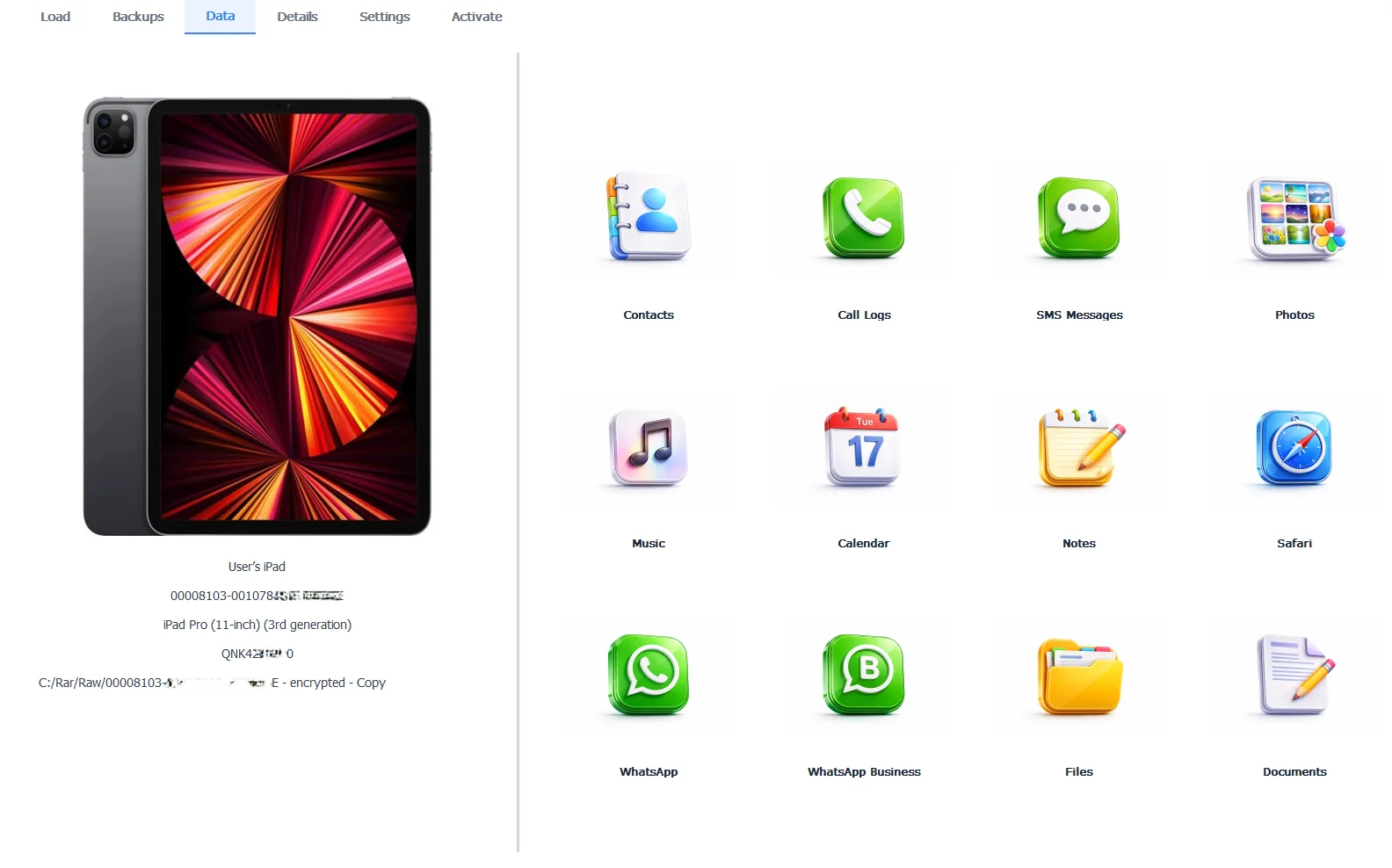
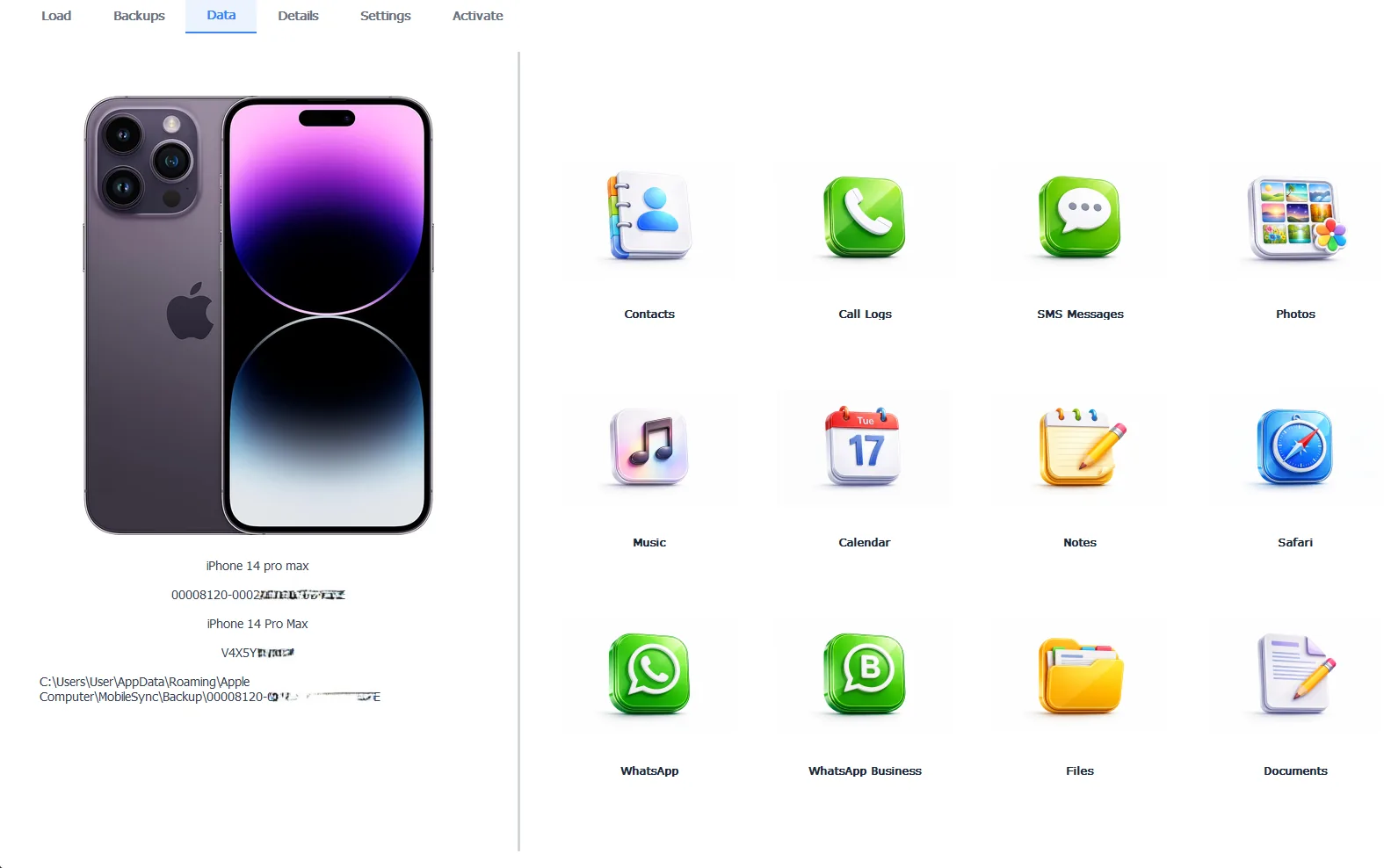
01 Load Your Backup
iPhone Backup Browser
Launch iData Backup Viewer and it automatically scans your iPhone Backups. Explore, Extract and Recover data including Encrypted Backups.
02 Browse Your Data
iPhone Backup Reader
Browse and Extract your iPhone and iPad backups. Preview and Explore any file from categories such as contacts, messages, photos, WhatsApp chats and attachments and many more.
03 Extract and Export
iPhone Data Extractor
Explore and Export from your iPhone backup in widely supported formats. From individual contacts to complete photo libraries, extract and recover iOS backup data on Windows quickly and securely.
Download Export Complete
1,248 items successfully saved.
Built for Windows Users.
Every tool you need to read, browse and extract iPhone backup data on Windows 10 & 11.
Encrypted iTunes Backup Support
iData reads encrypted iPhone backups the moment you enter your backup password. Contacts, messages, call history, photos and WhatsApp chats are all accessible without any workaround
View Guide100% Local, No Cloud Upload
Your iPhone backup data stays on your PC. iData runs entirely offline. Nothing is uploaded, synced or shared with any server. What is in your backup stays with you.
View GuideExport to PDF & HTML & CSV
iData Backup Viewer extracts and exports iPhone backup data in human-readable formats such as PDF, HTML, CSV, VCF, images, video, audio files and native files.
View GuideRecover Deleted iMessages and Photos
iData scans your iTunes backup database for fragments of recently deleted messages and photos that have not yet been overwritten. Many deleted items are still recoverable.
View GuidePreview In-App
Preview photos, videos, iMessages and WhatsApp conversations right inside iData before you export. No need to extract files just to check what is there.
View GuideSimple Interface
Select a backup and start browsing. No technical knowledge needed. The interface shows your data organized by category so you find what you need without digging.
View GuideAdvanced Search
Search across all your iPhone backup data at once. Find a specific message, contact or file name without clicking through every category manually.
View GuideView Full Backup Details
iData shows you the device name, iOS version, encryption status and storage breakdown for each backup in one place. Useful before you decide what to extract dashboard.
View GuideLightning Fast iTunes Backup Scanning
iData loads and scans iTunes backups fast, including large encrypted backups. Most backups are fully browsable within a few seconds of launch.
View GuideMore features explained in detail.
Read the full feature guide for step-by-step instructions on every data type, from iMessages and WhatsApp to Safari history and calendar events.
Simple, Transparent Pricing.
Start free. Upgrade when you need full exports. No hidden fees.
Explore and preview
Try the app, preview and explore your data, at no cost.
- Scan and detect all iPhone Backups
- Preview all data categories
- Encrypted backup preview (password required)
- Search functionality
Pro Edition - Unlock all features
Full access to all functionality to manage your iPhone Backups
- Everything in Free
- Unlimited Export
- One Computer
- Extract Unlimited Backups
- Free updates for subscribers
- 30-day money-back guarantee
Business edition
All features, for your team or commercial operation.
- Commercial license
- One Computer
- Free updates for subscribers
- Extract Unlimited Backups
- Priority expert support
Need a full Comparison?
Explore our detailed technical breakdown and comparison matrix to find the exact professional edition for your forensic or personal data recovery needs.
What Users Say.
iData is used by IT professionals and everyday iPhone users to recover data they thought was gone.
"iData Backup Viewer completely revolutionized how I handle data recovery. The ability to drill down into the file system is precisely what I needed for my investigative work."
Mark T.
IT Support Specialist
"Finally, a backup viewer that understands underlying iTunes structures. The export functionality is smooth, making it an essential utility for power users."
Sarah L.
Data Recovery User
"The most reliable tool for extracting old iMessage attachments. I recovered years of family photos from 2018 in minutes. Truly a lifesaver."
James R.
Verified Buyer
One Tool. Many Roles. All in one Product.
Your Ultimate iPhone Backup Viewer. Explorer. Browser. Reader. Extractor. Viewer.
Ready to explore?
Download the free version to preview your iTunes backup contents. Upgrade to Pro for full export.
Frequently Asked Questions
Common questions about reading and extracting data from iPhone backups on Windows.
Is it safe to use with my iTunes backups?
Yes. iData Backup Viewer runs entirely on your local computer. Your iTunes backup data is processed locally and never uploaded to any server.
Which iOS versions are supported?
iData supports all backups created from iOS 5 through to the latest version of iOS. This includes all modern iPhone and iPad models.
Can I browse encrypted iTunes backups?
Yes. If the backup is password-protected, provide your password within the app to decrypt and explore all your files, messages and media.
Do I need to jailbreak my device?
No. Jailbreaking is not required. iData Backup Viewer works with standard backups created via iTunes or Finder on any Windows PC.
What specific data types can I export?
You can export iMessage conversations, SMS, WhatsApp chats, photo libraries, video files, contacts (VCF/CSV), call history and App-specific documents.
Can I recover deleted messages or photos?
Yes. iData scans backup databases for fragments of recently deleted data that have not yet been overwritten, allowing for a high recovery success rate.
Is there a limit on backup size?
No. iData handles backups of any size, from small 16GB to large 1 TB iPhone backups, with lightning-fast scanning performance.
Which operating systems does iData support?
iData Backup Viewer runs on Windows 10 and Windows 11. A Mac version is currently in development. The app supports backups from iOS 5 through iOS 26.
How is the license delivered?
Instantly. Once your purchase is complete, your license key is delivered to your email address automatically so you can unlock the Pro version right away.
Where are iPhone backups stored on Windows?
iTunes stores backups at C:\Users\YourName\AppData\Roaming\Apple Computer\MobileSync\Backup\ on Windows 10 and 11. iData Backup Viewer finds this folder automatically when you open the app, so you do not have to locate it yourself.
Can I view my iPhone backup without restoring my phone?
Yes. iData Backup Viewer reads the backup file directly on your PC. Your iPhone is not required and nothing on your phone changes. You can browse, preview and export data without touching your device.
What data is stored inside an iPhone backup?
An iTunes backup includes iMessages, SMS, WhatsApp chats, photos, videos, contacts, call history, notes, Safari history, calendar events, voice memos and app data. iData Backup Viewer lets you browse and extract each of these categories separately.
Does iPhone backup include WhatsApp messages?
Yes. If WhatsApp is installed on your iPhone, your full chat history is stored in the iTunes backup. iData Backup Viewer can read and export all WhatsApp conversations including attachments as PDF or HTML.
Still have questions?
Can't find the answer you're looking for? Our technical team is here to help.