Best iPhone Backup Extractor for Windows (2026)



Someone needs one deleted conversation out of an old iPhone backup. They search for the best iPhone backup extractor for Windows and hit ten listicles that all crown whatever tool paid the most. That helps nobody. This comparison scores the real options on the things that actually differ between them, price, iCloud access, export formats and Mac support. It names which tool wins for which job. Full honesty up front: iData Backup Viewer is our own tool, so its limits are listed as plainly as its strengths.
Quick Answer
The best iPhone backup extractor for Windows depends on the job. For reading and exporting a local backup on a Windows PC, a dedicated viewer is fastest and cheapest. For pulling data from iCloud backups too, a heavier subscription tool fits better. For full device management with music and file transfer, a device manager is the match. No single tool wins every case.
| Tool | Price | iCloud Backups | Encrypted | Mac Version | Best For |
|---|---|---|---|---|---|
| iData Backup Viewer | $49/yr | No | Yes | No | Reading local backups on Windows |
| iMazing | Subscription | Limited | Yes | Yes | Full device management |
| Reincubate | Subscription | Yes | Yes | Yes | iCloud plus corrupt backups |
| iBackup Viewer | Free / paid | No | Yes | Yes | A no-cost basic look |
Table of Contents
What Actually Separates One Extractor from Another?
Most of these tools read an iTunes backup and show its photos, messages and contacts. The differences that decide the right pick are four. Price and how it is charged, a one-time or yearly fee against an ongoing subscription. iCloud reach, whether a tool reads only local backups or pulls from iCloud too. Encrypted-backup support, which the serious tools all have. And platform, since a Windows-only tool has no answer for a Mac user.
One split matters more than the rest. A backup extractor reads a backup that already exists. A device manager also runs the connected phone, moving music, files and apps. Managers cost more and do more. If the job is only reading a backup, a dedicated extractor is lighter and cheaper, a point our guide to iMazing alternatives for Windows covers in depth.
iData Backup Viewer
iData Backup Viewer is a dedicated backup reader for Windows 10 and 11. It opens a local iTunes backup, shows every category free to browse, messages, photos, contacts, call history, notes and WhatsApp. It exports what you choose once you upgrade to Pro. Encrypted backups open with the password. It is the lowest fixed price of the group at $49 per year.
Best for. Reading and exporting a local backup on a Windows PC, quickly and cheaply, including a backup from a phone already sold or gone.
The honest limitation. iData Backup Viewer does not manage devices. There is no music transfer, no pushing files back to the phone, no iCloud backup download and no Mac version. Anyone needing those should look at Reincubate or iMazing instead. iData reads local backups well and does not pretend to do the rest.
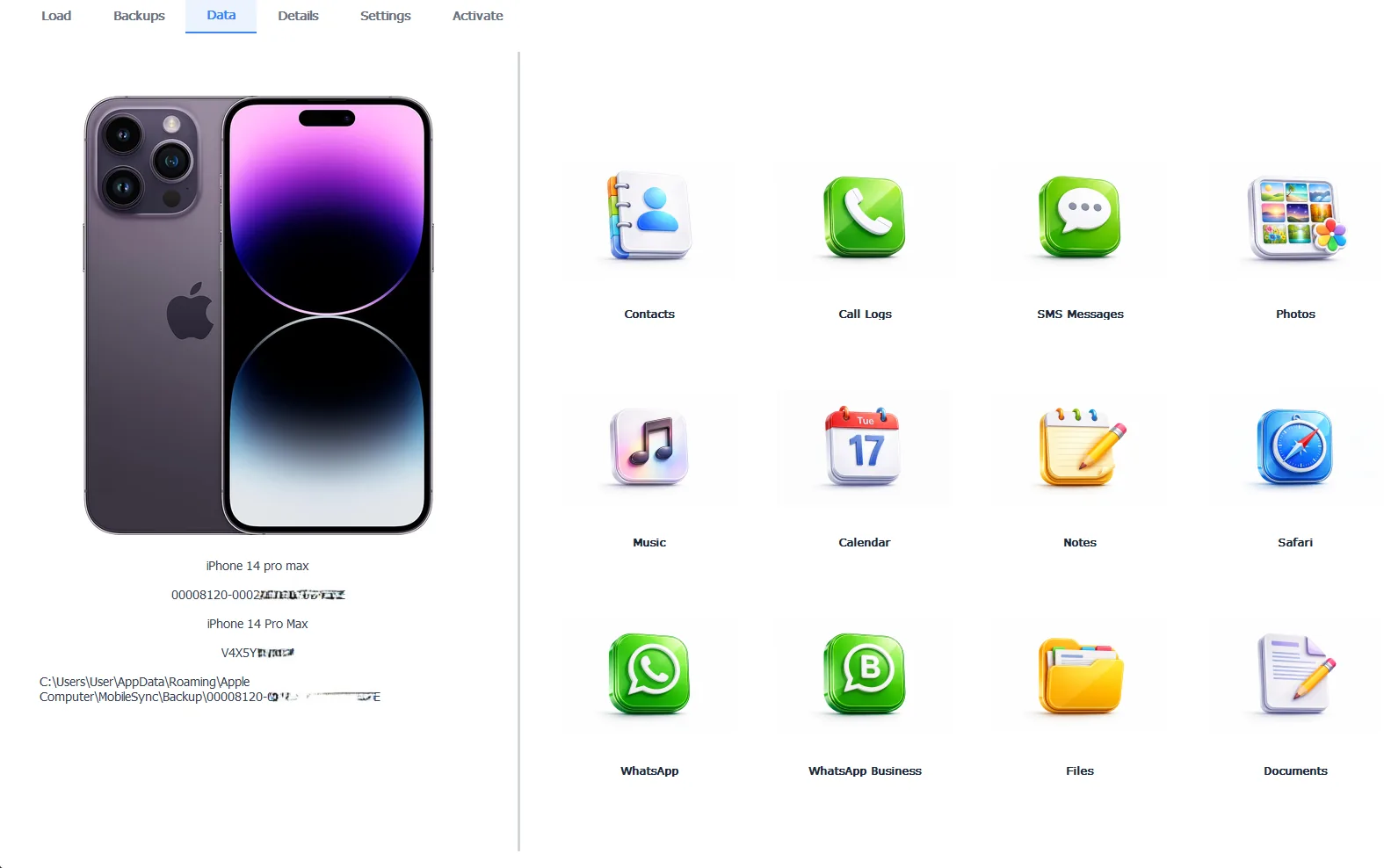
iData Backup Viewer showing a local backup’s contents by category
Free version previews your backup contents. Works on Windows 10 and 11.
iMazing
iMazing is the best-known name here and it is a full device manager, not only an extractor. It browses and exports backups, edits backup copies to repair some corruption. It also transfers music, photos and files to and from the connected iPhone. It runs on Windows and Mac and handles encrypted backups. The current version is 3.6.4, updated in September 2026.
Best for. People who want one tool to manage the whole device, not just read a backup, while using both Windows and Mac.
The honest limitation. iMazing moved to subscription-only pricing after DigiDNA discontinued perpetual device licenses in 2025, so it costs more over time than a one-job tool. For someone who only needs to read a backup once, iMazing is more software and more money than the task requires.
Reincubate iPhone Backup Extractor
Reincubate iPhone Backup Extractor has been around for years and its standout ability is iCloud. Sign in with an Apple account and it pulls data from iCloud backups as well as local iTunes ones, which pure local viewers cannot do. It handles encrypted and some corrupted backups, exports to PDF, CSV, vCard and ICAL. It runs on Windows and Mac.
Best for. Anyone whose data lives in iCloud rather than a local backup. Also anyone who needs many export formats for import into Excel, Outlook or Gmail.
The honest limitation. Reincubate is subscription-priced and its free tier caps how many items you can extract, so a large recovery pushes you to a paid plan quickly. For a purely local backup on Windows, its iCloud strength goes unused while you still pay for it.
iBackup Viewer
iBackup Viewer is a lightweight reader with a free version, which makes it a fair first look when budget is the only concern. It opens local backups, reads encrypted ones and runs on Windows and Mac. Reviewers note an older interface and limits on the free tier.
Best for. A no-cost first look at a local backup, when export volume is small and polish does not matter.
The honest limitation. The dated interface and free-tier caps mean a serious recovery usually ends up on a paid tool anyway. It is a good place to start, not always where a real job finishes.
“We build a Windows backup viewer, so of course we think it is good at that one job. It is not good at everything. A comparison that hides a tool’s weak spots is worthless. If someone needs iCloud, we send them to Reincubate. If they need to manage a whole phone, we send them to iMazing. The honest pick depends on the job, not on who wrote the list.”
Viralkumar Patel in | iData Backup Viewer Team, CYBERSICS SOLUTIONS
Which One Should You Choose?
Match the tool to the job rather than chasing a single winner.
- Reading and exporting a local backup on Windows, cheaply, choose iData Backup Viewer.
- Managing the whole device with music and file transfer across Windows and Mac, choose iMazing.
- Pulling data from iCloud backups or exporting to many formats, choose Reincubate.
- A free first look at a local backup with small needs, try iBackup Viewer.
Whichever tool fits, the backup itself is the thing that matters, so keep a good one. Our guides to backing up an iPhone to a computer and what is inside an iPhone backup cover making and understanding that backup, while selectively restoring iPhone data shows what any of these tools can pull out. For a locked backup, the password guide applies to every tool on this list. The full recovery map lives in our iPhone data recovery hub.
Choosing an iPhone backup extractor for Windows comes down to a few plain points:
- No single tool wins every case, so pick by the job in front of you.
- iData is cheapest for reading local Windows backups, iMazing manages whole devices, Reincubate reaches iCloud.
- All the serious tools open encrypted backups with the password.
- The backup matters more than the extractor, so keep a recent, verified one.
⬇ Try iData Backup Viewer Free
What does your job actually need, reading one backup or managing a whole phone?
Frequently Asked Questions
What is the difference between a backup extractor and a device manager?
A backup extractor reads an existing iTunes backup on the computer and pulls data out of it. A device manager like iMazing also controls the connected iPhone, transferring music, apps and files both ways. Extractors are lighter and cheaper. Managers do more but cost more.
Which iPhone backup extractor is cheapest for Windows?
iData Backup Viewer is the lowest fixed price of the group at $49 per year, with a free preview of every category. iMazing and Reincubate cost more and use subscription pricing. Price should be weighed against the features each tool includes.
Which tool can extract from iCloud backups, not just local ones?
Reincubate iPhone Backup Extractor is the standout for iCloud, since it signs into an Apple account and pulls data from iCloud backups as well as local iTunes backups. Pure local viewers like iData and iBackup Viewer read only backups already saved on the computer.
Do these tools work on encrypted iPhone backups?
Yes, the main tools all open encrypted backups with the backup password. iData Backup Viewer, iMazing and Reincubate each decrypt a password-protected backup so its messages, photos and contacts become readable and exportable.
Is there a free iPhone backup extractor for Windows?
Several offer a free tier. iData previews every category free and charges only to export. iBackup Viewer has a free version with limits. Reincubate caps how many items its free tier extracts. A fully free extractor with no export limit is rare.
Which extractor is best for reading a backup after selling the phone?
Any local viewer works, since a local backup is a folder on the PC that opens with no iPhone attached. iData Backup Viewer suits this well on Windows, reading and exporting the backup with the phone gone. iCloud-only data would still need the Apple account.
Written by Viralkumar Patel in
Viralkumar works on iData Backup Viewer at CYBERSICS SOLUTIONS, where he helps Windows users read, recover and export data from iPhone backups.
Last updated September 2026. Competitor details come from public product pages and can change. Verify current pricing before buying.